Forgot your Apple Notes password? What works, and what doesn't


Forgot the password for your locked notes? Here's what's worth trying, in the order I'd go, and the one thing not to do first.
Which one applies to you
Three questions, and it tells you the one thing to do next.
Why nobody can open it for you
A locked note is end-to-end encrypted with a key made from your notes password. Apple's security guide describes it: the key is derived from your passphrase, and the note and its attachments are encrypted with it. Apple says it doesn't have access to locked notes and can't help if you forget the password. That's the point of locking a note, and it's also why resetting the password can't bring old notes back.
Try these first
- Face ID or Touch IDIf you turned it on for Notes, open the locked note and use it. Apple lists it as a way to view a locked note.
- The hintEnter a wrong password a couple of times and Notes shows the hint you set, if you set one.
- Your device passcode or Mac login passwordSince iOS 16, notes can be locked with the device passcode instead of a separate password. If you chose that, use your iPhone passcode, or your Mac's login password on the Mac.
- Older passwordsIf you ever reset your notes password, older notes keep the password they were locked with. When you enter the current one on an older note, Notes tells you it's wrong and shows the hint for the old one.
- A password managerIf you use one, search it for “notes”; you may have saved the password there when you set it.
Don't reset first. Resetting is safe, and it won't delete anything, but once you have two passwords it gets harder to tell which note needs which.
What each option can do
| Opens old locked notes? | Good to know | |
|---|---|---|
| Face ID or Touch ID | Yes, if it was on for Notes | Can't change the password; that always needs the current one |
| The hint | Only by jogging your memory | Shows after a couple of wrong tries, if you set one |
| Device passcode | Yes, for notes locked with it | An option since iOS 16, with iCloud Keychain on |
| Reset Password | No | Sets a password for notes you lock from now on |
| Apple Support | No | Apple has no access to locked notes |
| Unlock apps | No | They can only guess passwords |
Reset the password (for new notes)
If none of that works, reset it so you can keep locking new notes. The old locked notes stay as they are, and still open with the old password if you ever remember it.
On iPhone
- Open Settings, tap Apps, then Notes, then Password.
- Choose the account, then tap Reset Password.
- Enter your Apple Account password and tap OK, then tap Reset Password again.
- Choose your device passcode, or enter a new password and a hint, then tap Done.
On a Mac
- In Notes, choose Notes, Settings, then Reset Password, and click OK.
- For an iCloud account, enter your iCloud password.
- Click Reset Password again, enter the new password twice and a hint, then click Set Password.
The steps are from Apple: How to lock or unlock notes on your iPhone and Change your password for locked notes on Mac. If you still know the password and just want a new one, choose Change Password instead: that moves every locked note to the new password, so you don't end up with two.

About unlock apps
Search results for this are full of apps that promise to unlock Apple Notes. None of them can decrypt a locked note without its password; the most they can do is try passwords for you. If one asks for your Apple Account password or your backup, think hard about what you're handing over.
So it doesn't happen again
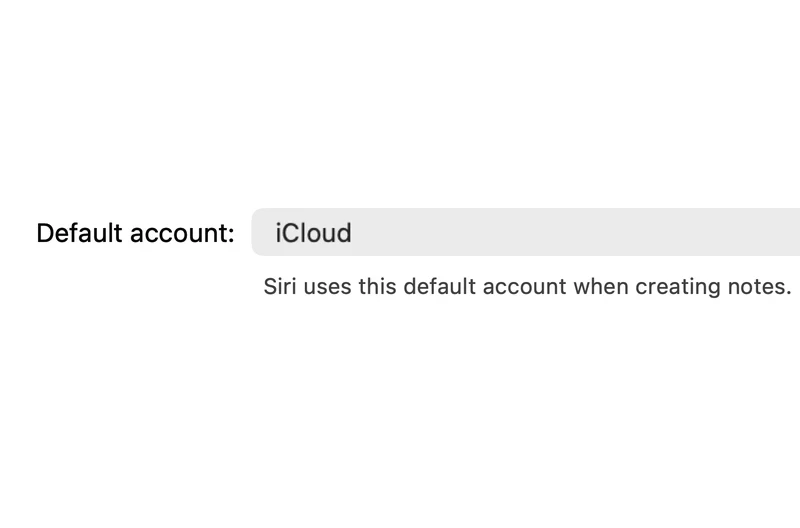
- Switch to your device passcode: Settings, Apps, Notes, Password, Use Device Passcode. It needs iCloud Keychain on. On a Mac, the same choice is Use Login Password, under Locked notes in Notes, Settings.
- Or keep your notes password in a password manager.
- Turn on Face ID or Touch ID for Notes, so you rarely have to type it.
- Unlock and export anything you can't afford to lose, and keep a copy somewhere safe.
- If a note is missing rather than locked, see how to recover deleted Apple Notes.

If you're moving to another app
Locked notes can't be read without the password, so exporters and importers leave them behind. That includes Amber Notes' import from Apple Notes: unlock the notes you need first, or they stay behind in Apple Notes.
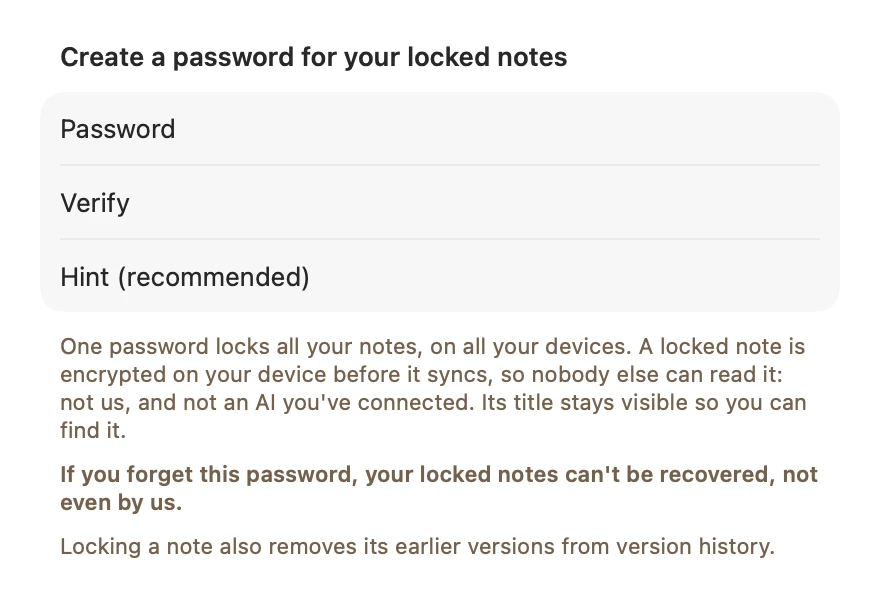
Amber Notes, the notes app for iPhone and Mac that I make, has locked notes too, and they work the same way: encrypted with your notes password on your device, unreadable to us and to any AI you connect, and impossible to recover if you forget the password. It says so when you set one. Everything else in Amber Notes is end-to-end encrypted as well, and ChatGPT and Claude can still use your other notes once you approve them; how that works has the details.
Try Amber Notes on your Mac
Locked notes for what's private, end-to-end encryption for everything else, and notes ChatGPT and Claude can use when you allow it.
Download Amber Notes for MacThe iPhone app is coming to the App Store soon. Amber Notes is on Mac today: send yourself the link to open there.
Send myself the linkAmber Notes is for iPhone and Mac. Send yourself the link to open on one.
Send myself the linkFree, for macOS 26 or later. Importing from Apple Notes only reads it; nothing there changes.
Questions
Can Apple recover my locked notes if I forget the password?
No. Apple says it doesn't have access to locked notes and can't help you open them if you forget your notes password. Locked notes are end-to-end encrypted with a key made from that password.
Does resetting the Notes password unlock my old notes?
No. Resetting lets you lock new notes with a new password. Notes you locked before keep the old password, and still need it to open.
Can I open a locked note with Face ID or Touch ID?
Try it: if you turned on Face ID or Touch ID for Notes, Apple lists it as a way to view a locked note. It can't be used to change the password, which always needs the current one.
Do apps that promise to unlock Apple Notes work?
They can't decrypt a locked note without its password. The key is made from the password, so the most any tool can do is guess passwords. Be wary of anything that asks for your Apple Account password to do it.
How do I avoid this next time?
Use your device passcode instead of a separate notes password (iOS 16 or later, with iCloud Keychain on), or keep the notes password in a password manager.
Checked against the app on .